

SSC338Q + IMX415 Cameras
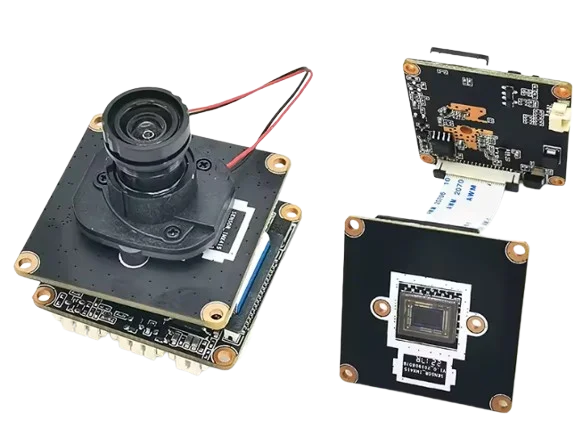
SSC338Q + IMX415 camera specifications
| Parameter | Value |
|---|---|
| Processor (SoC) | SigmaStar SSC338Q |
| Sensor | Sony IMX415, 1/2.8" 8 MP |
| Resolution | Up to 3840×2160 (4K UHD) |
| Video encoding | H.265 / H.264 |
| Frame rate | Up to 30 fps at 4K |
| IR filter | Mechanical IR-Cut (ICR) |
| Interfaces | Ethernet 100 Mbps, USB 2.0 (Wi-Fi support) |
| Audio | Microphone or line input (depending on version) |
| RTSP stream | rtsp://<ip>:554/av0_0 |
| Power | DC 12V or PoE (optional) |
| Wi-Fi support | Via external USB Wi-Fi module (e.g. AUF1, EU2) |
| OpenIPC support | Yes |
| IQTool support | Yes |
| Protocols | RTSP, ONVIF, HTTP, SSH |
| Form factor | Modular board (no enclosure) |
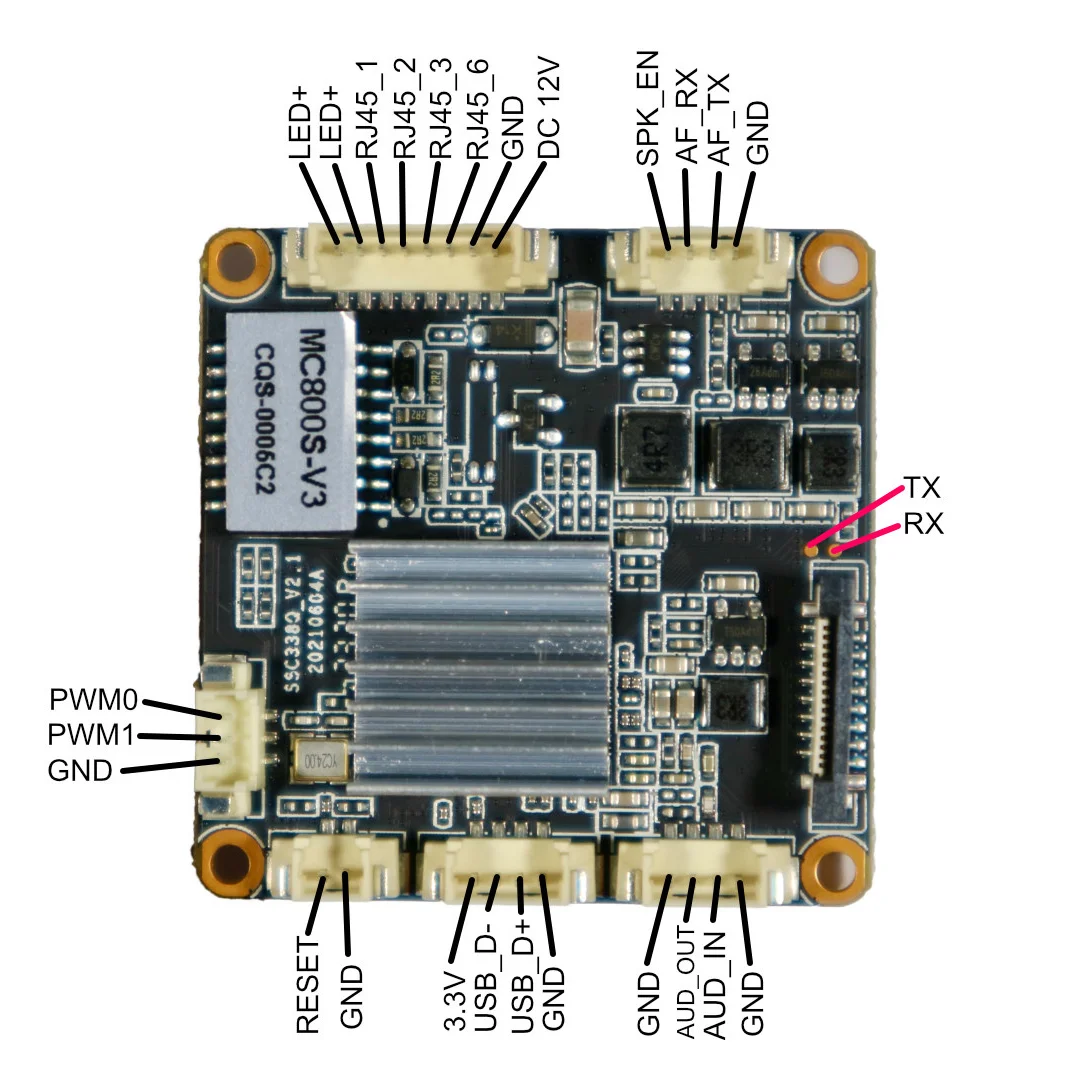
Pinout
How to flash with FPV firmware?
- We are interested in the RJ45, GND and 12V pins
- Connect the RJ45 + Ethernet cable to the camera and to a router or laptop + supply DC 12V power
WARNING!
The camera is powered by 12V
- At the address 192.168.0.123 — 123456, the standard camera access and web interface (it is a standard surveillance camera by default).
- We are interested in UART RX + TX + GND (find them in the picture)
Warning
After you solder to the UART, fix the pads together with the wires using hot glue — this is the Achilles heel of this camera.
Use the flashing via UART instructions.
The next step after flashing the ssc338q is ultimate - 16M. We can safely flash using the Multiconfigurator.
How to flash the SSC338Q using firmware files and SCP
- First, go here — https://github.com/OpenIPC/builder/releases/tag/latest
- Next, find the firmware required for our camera; in our case there are several
openipc.ssc338q-nand-fpv.tgz
openipc.ssc338q-nor-fpv.tgz
- Unpack on your PC and, using WinSCP, upload to the camera into the
/tmp/directory - Run the following commands, one command at a time:
soc=$(fw_printenv -n soc)sysupgrade --kernel=/mnt/mmcblk0p1/uImage.${soc} --rootfs=/mnt/mmcblk0p1/rootfs.squashfs.${soc} --force_ver -z
Warning
Do not turn off the power during flashing!
- Next, set the U-Boot auto-update URL with the command
fw_setenv upgrade_url https://github.com/OpenIPC/builder/releases/download/latest/ssc338q_fpv_openipc-urllc-aio-nor.tgz - And verify that the build and the link are set.
fw_printenv upgradegrep -e BUILD_OPTION /etc/os-release