Ground station: how to build a Radxa yourself
When we talk about the "Radxa", it looks roughly like this:
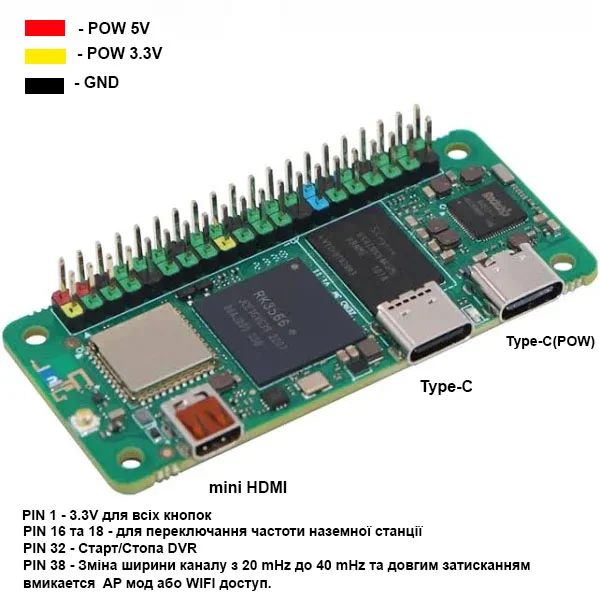
Components for a Radxa Zero 3W ground station
- Radxa Zero 3W (2 GB, no eMMC, with header)
- Wi‑Fi cards (2 pcs.)
- RTL8812AU: compact, cheap, run on 3.3 V, up to 40 MHz
- RTL8812EU2: more powerful, require a USB hub and 5 V power
- BEC (step-down converters): 5 V and 3.3 V regulated
- USB hub: to connect multiple cards
- Micro-USB → USB‑C cable: for the HAT
- microSD card: ≥ 64 GB (image ~1.5 GB + DVR ~1 GB/10 min)
- HDMI–mini HDMI cable or a micro‑HDMI→HDMI adapter
- 3D-printed enclosure (PETG)
- 25×25 mm fans
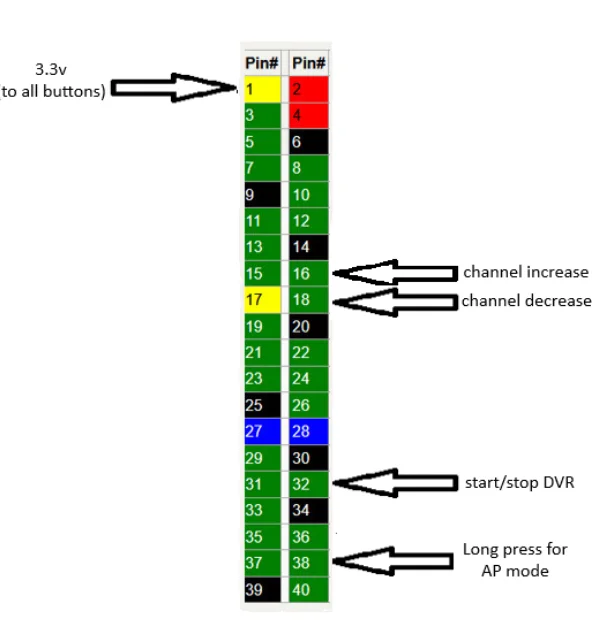
- Buttons / limit switches for recording and AP mode
- XT60 (female) connector for power
- Antennas, 4 pcs. (2 directional + 2 patch, LHCP or RHCP)
- RP‑SMA extensions / adapters
Power
Power can be supplied in two ways:
- Through Type-C (
Powin the picture) - Through the header pins — supplying 5V at the back, using dupont cables
Assembly
A bit of soldering won't hurt 😉
Here's how Ostap did it:
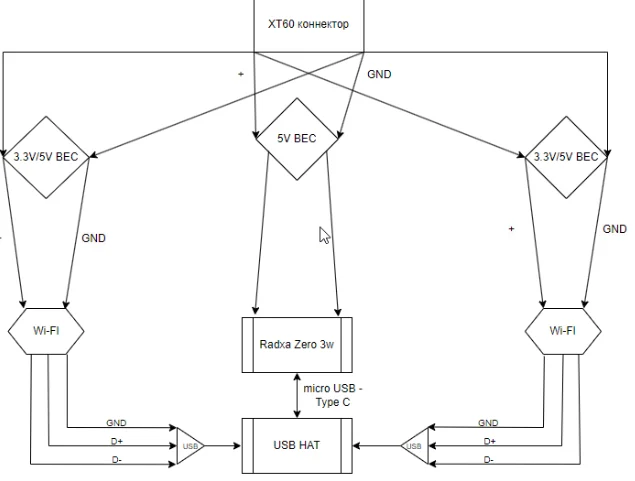
- Took an XT60 connector
- Routed power from it to each BEC separately
Power diagram
Let me sketch the diagram to the best of my artistic ability:
Enclosure + USB hub:
🔸 Option 1
the inner universe with a USB-HAT
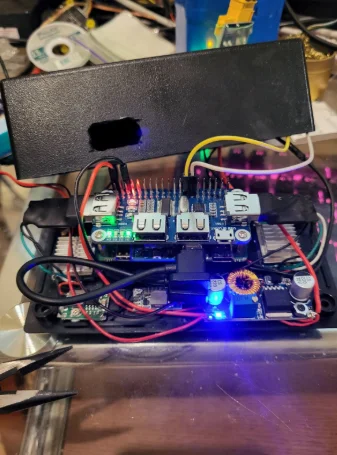
Option 2
- No BECs needed for 8812EU2 Wi-Fi cards
- You only need to route USB + power to each card from the USB hub
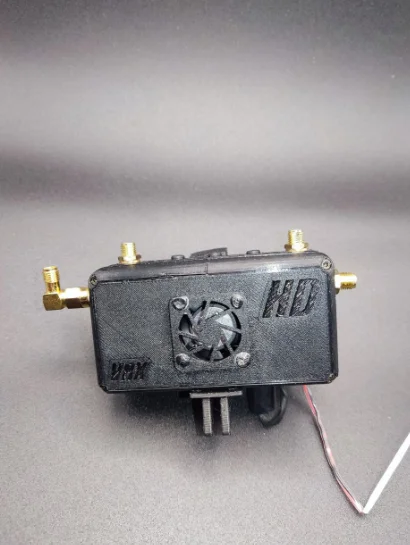
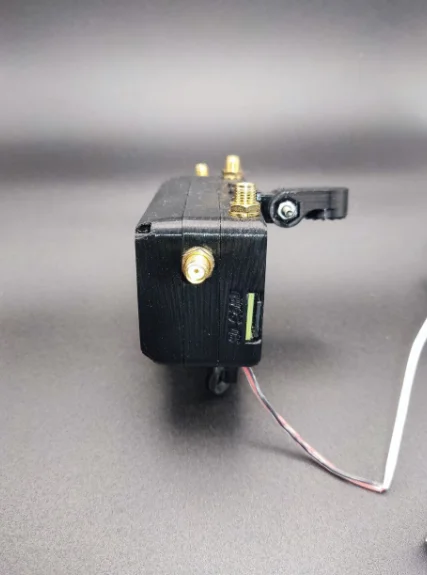
Examples of an assembled ground station
- Option 1: USB‑HAT + 2×RTL8812AU → 227 g without antennas
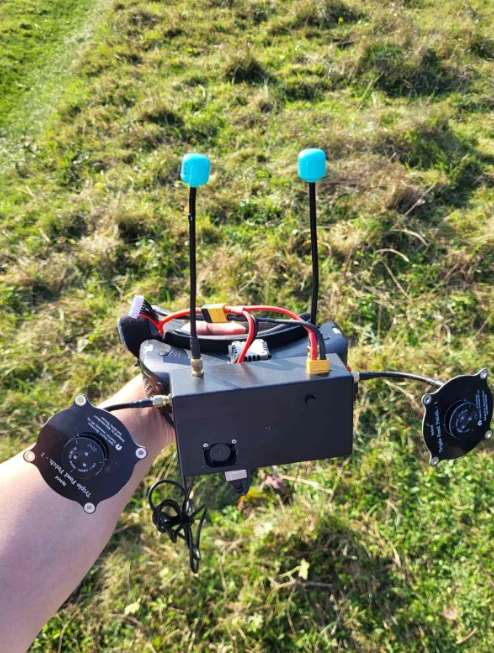
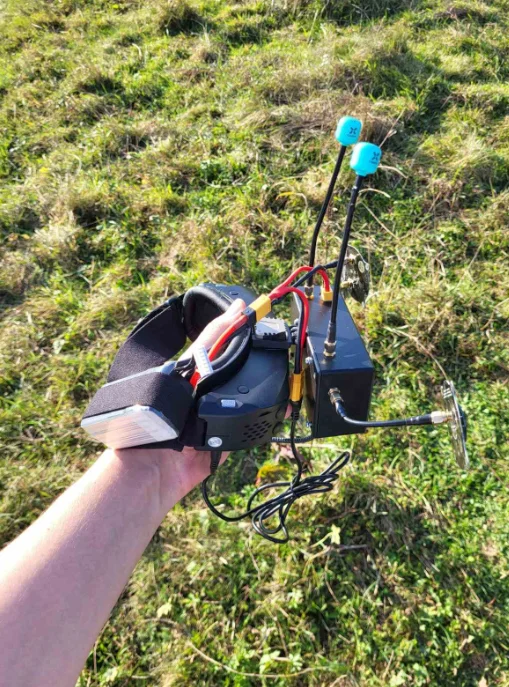
- *Option 2*: USB‑hub + 2×RTL8812EU → 105 g without antennas
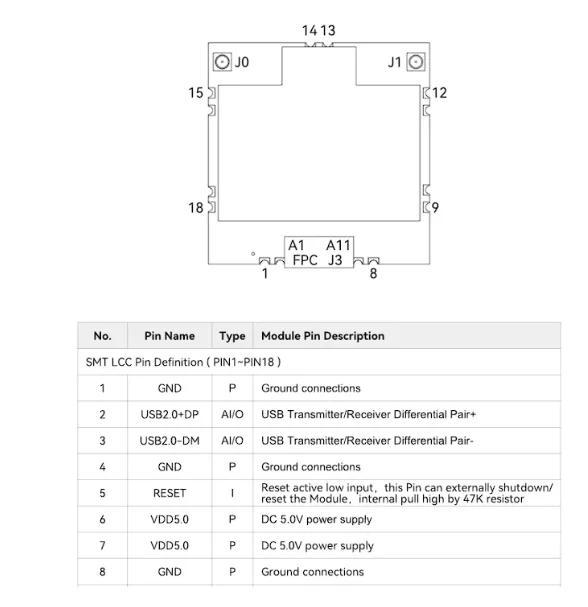
Connecting the Wi-Fi cards
🟣 8812AU
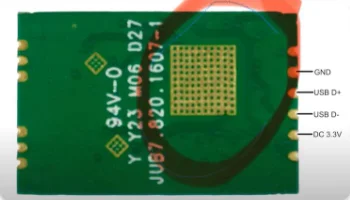
🔵 8812EU2