

VTX MENU
VTX MENU is an interactive OSD or CLI-based menu that lets you configure video transmission (VTX) parameters while the device is running — no reflashing or rebooting required.
Main Features
- Channel selection (CH)
- Frequency change (FREQ)
- Transmit power adjustment (TxPower)
- Channel bandwidth toggle
- Encoding selection (LDPC/STBC)
- SD card recording activation
- Transmission profile switching
Installing VTXMenu
Install VTXMenu using Mario Configurator.
Connect to the camera → Telemetry → Latest YML VTXMENU → press Enter in the command line.
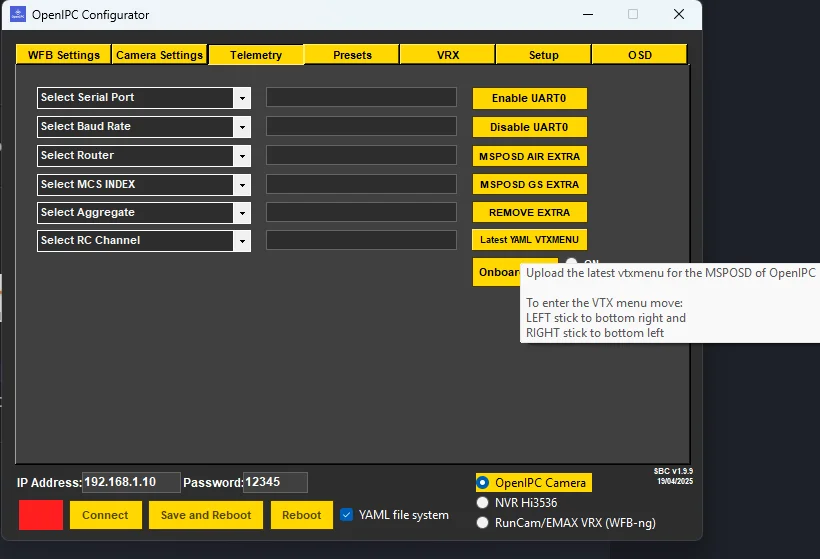
Save and reboot the Air Unit.
How to Enter the Menu

Via OSD:
- Enable
osd_menu: trueinmajestic.yaml - Use the transmitter sticks to navigate the menu (for supported systems)
Example Configuration in majestic.yaml
yaml
osd_menu: true
vtxmenu:
  default_power: 1
  default_bandwidth: 20
  default_mcs: 3
auto_record: trueThe VTX Menu is continuously updated. Check the official OpenIPC repository for the latest documentation.