

Updating via Multiconfigurator
Make sure you have a stable connection to your device (Air Unit).
If you only need a full factory reset without a firmware update:
Simply run the command:
firstbootThis will restore the device to factory settings without reinstalling the firmware.If you need to update the device:
Download the official OpenIPC Multiconfigurator.
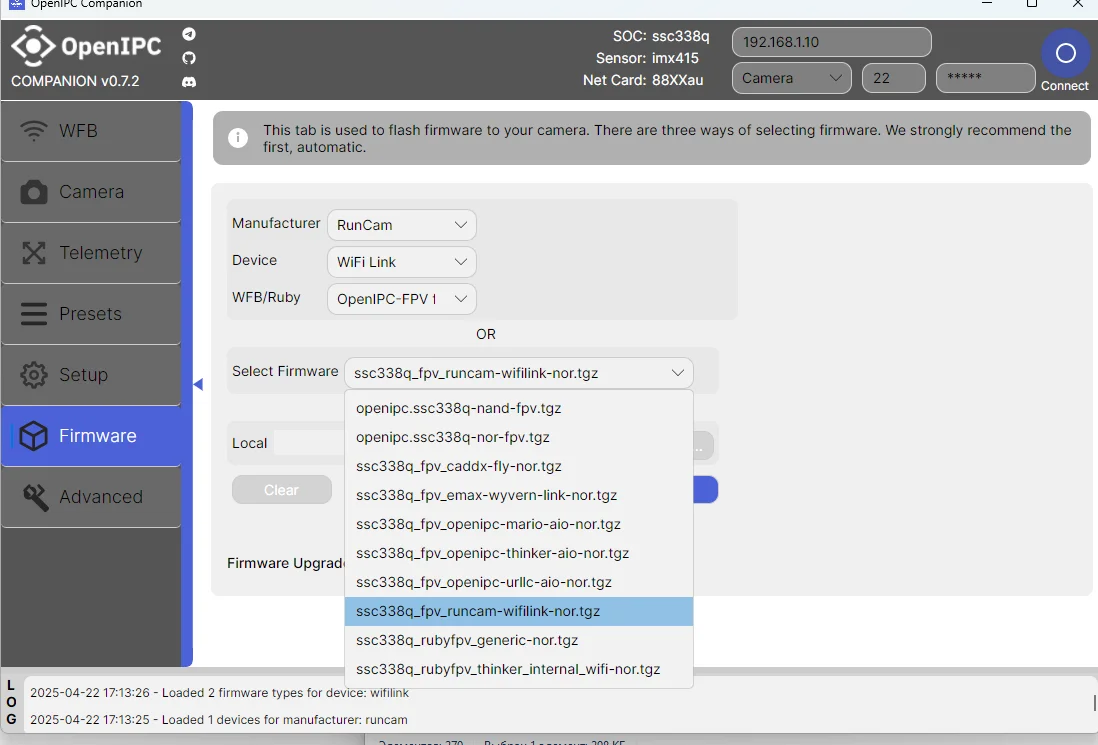
Open the "Firmware" section and select your device.
Warning!
Always check the drone's power supply quality before starting the flash process! If power is cut during flashing you may brick your device.
Wait a few minutes until a ping to the device appears (blue "Connect" button in the configurator).
If no connection appears within 5 minutes:
Warning!
The device did not flash.
Proceed to the recovery guide: General UART Flashing Guide